
Upgraded Servers are Here
Our server upgrade is live - and logging in just got better. Over the next few weeks, Ace accounts will be securely migrated in phases to our new infrastructure.
This upgrade is all about speed, reliability, and scale, unlocking new features, content, and updates as we continue building the future of shooting.
New Login Steps
-
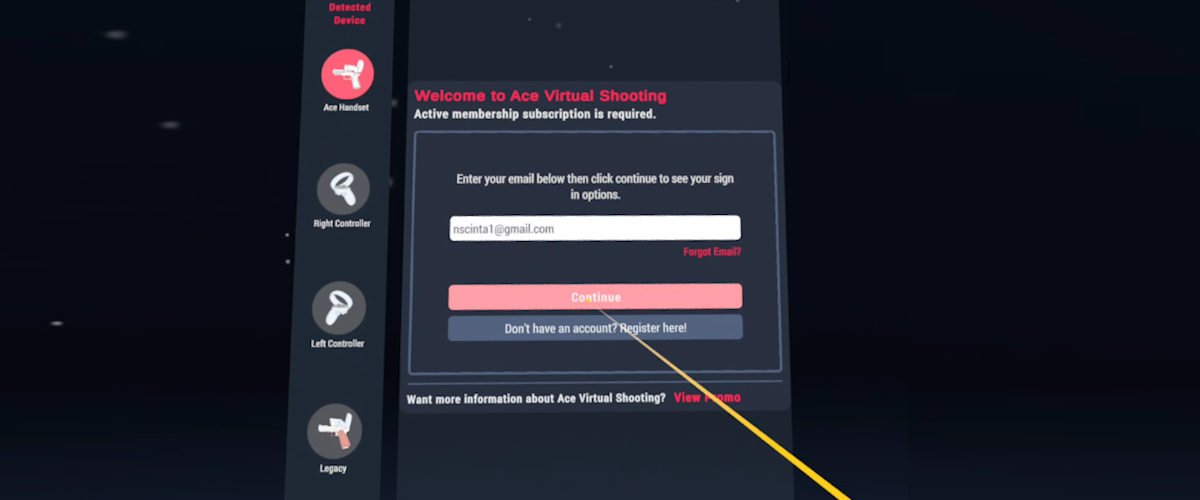
1. Open Ace VR App
Enter the email associated with your Ace Account and press Continue.
-
2. Click Email Link
Open your email, click the red button that says Login to VR App.

-
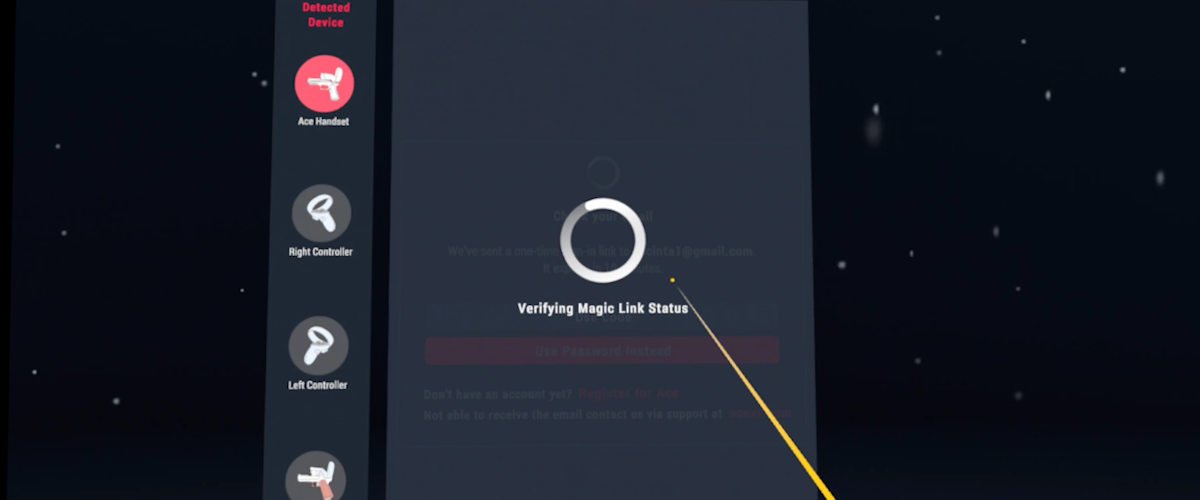
3. Go Back to Ace VR App
Get back in headset and the Ace VR App will start. This may take a few seconds.
Login Information Video
Frequently Asked Questions
-
Look back through your emails and find the one that got the order confirmation from purchase.
It is possible it was misspelled when you originally entered it.
If problems still persist, email support@acexr.com, and we will assist you in finding it.
-
Check your spam and other inboxes. The email will be from no-reply@acexr.com - search for that.
If problems still persist, email support@acexr.com, and we will assist you in finding it.
-
Click the red button on the email. This will automatically log you in in VR. This may take up to 60 seconds to process.
Alternatively, you can log in using the 6-digit PIN on the bottom of the email, however you must request a new Email Link if you have clicked the red button on the previous email.
Lastly, you can log in with a password. To protect our users’ security, we did not migrate passwords, so you will need to click Forgot Password and set a new one.
-
The upgraded servers provide speed, reliability, and scale, unlocking new features, content, and updates as we continue building the future of shooting.
-
When you log in to the Ace VR App, you will be prompted to enter your email. After logging in with Email Link, you are on the upgraded servers.
Once in the VR App, banners in the hut will indicate that you are on the upgraded servers.
-
Data can sometimes take time to populate. Check back later, and it should be available.
If your issues persist longer than 2 days, please contact customer support at support@acexr.com.
-
For your security, old user passwords have not been migrated. We recommend using the Email Link system to log in.
You can create a new password by clicking Forgot Password in the VR App.
-
In your Meta App Library, click on the settings of the Ace App (either by clicking the 3 dots, or by clicking and holding over the App) and clicking Update.